










• Home
  • Featured Posts
    • Product Update
  • MVPSkill Events
  • MVPSkill Saturday
  • Azure
  • Microsoft 365
    • 5 นาทีกับ MVP 365
    • Exchange&Outlook
    • Microsoft 365 Admin
    • Microsoft 365 Compliance
    • Microsoft 365 Copilot
    • Microsoft 365 Copilot Admin
    • Microsoft 365 Life
    • Microsoft 365 Security
    • Microsoft Office
    • Microsoft Teams
    • SharePoint & OneDrive
    • Skype for Business
    • Yammer
  • Windows Client
    • Windows Security
  • Windows Server
    • Active Directory & Group Policy
    • Windows Server 2012
  • System Center
  • Tips & Technics
  • Tools
  • PowerShell
  • นอกเรื่อง IT Pro
    • Certification & Exam
    • Download E-Book
    • Free Training
    • MVP Life
    • VDO Learning
  • About Us
Search
mvpskill.com | Change the World by Contributions.
  • Home
  • Featured Posts
    • AllProduct Update

      EP9 Microsoft SharePoint: จุดชี้เป็นชี้ตายของ Copilot ในองค์กร: คู่มือ Admin ยุค AI

      EP8 เปรียบเทียบโมเดล License ของ Microsoft 365 Copilot: เลือกอย่างไรให้คุ้มและคุมงบอยู่: คู่มือ Admin ยุค…

      EP7 Copilot และ Agents ช่วยขับเคลื่อน Productivity และ Automation อย่างไร (มุมมองสำหรับ IT…

      EP6 เปรียบเทียบ Microsoft 365 Copilot และ Agents: ใช้อะไร เมื่อไร ให้เหมาะกับองค์กร: คู่มือ…

  • MVPSkill Events
    • รวมรวม Deck และชมย้อนหลังงาน Global Azure Bootcamp 2023

      MVPSkill Charity Meetup 2021 – Meeting 08 Azure Security & compliance

      MVPSkill Charity Meetup 2021 – Meeting 07 Azure Backup / Azure…

      MVPSkill Charity Meetup 2021 – Meeting 06 Azure App Services (PaaS)

      MVPSkill Charity Meetup 2021 – Meeting 05 Azure Virtual Machine (IaaS)

  • MVPSkill Saturday
  • Azure
    • รวมรวม Deck และชมย้อนหลังงาน Global Azure Bootcamp 2023

      Evaluate Azure Stack HCI #2/10 “Deploy the Azure VM”

      Evaluate Azure Stack HCI #1/10 “Introduction”

      MVPSkill Charity Meetup 2021 – Meeting 08 Azure Security & compliance

      MVPSkill Charity Meetup 2021 – Meeting 07 Azure Backup / Azure…

  • Microsoft 365
    • All5 นาทีกับ MVP 365Exchange&OutlookMicrosoft 365 AdminMicrosoft 365 ComplianceMicrosoft 365 CopilotMicrosoft 365 Copilot AdminMicrosoft 365 LifeMicrosoft 365 SecurityMicrosoft OfficeMicrosoft TeamsSharePoint & OneDriveSkype for BusinessYammer

      EP9 Microsoft SharePoint: จุดชี้เป็นชี้ตายของ Copilot ในองค์กร: คู่มือ Admin ยุค AI

      EP8 เปรียบเทียบโมเดล License ของ Microsoft 365 Copilot: เลือกอย่างไรให้คุ้มและคุมงบอยู่: คู่มือ Admin ยุค…

      EP7 Copilot และ Agents ช่วยขับเคลื่อน Productivity และ Automation อย่างไร (มุมมองสำหรับ IT…

      EP6 เปรียบเทียบ Microsoft 365 Copilot และ Agents: ใช้อะไร เมื่อไร ให้เหมาะกับองค์กร: คู่มือ…

  • Windows Client
    • AllWindows Security

      [Tips] แก้ปัญหา Font ตัวเล็กใน Edge แบบถาวร

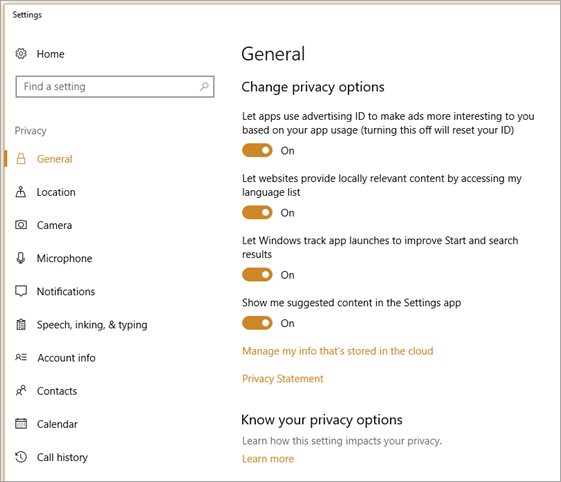
      Windows 10 Privacy settings

      Windows 10 มี Mode แสงสว่างหน้าจอสำหรับทำงานกลางคืน “Night Light”

      Windows 10 Timeline ความส่วนตัวที่น่ากลัว

  • Windows Server
    • AllActive Directory & Group PolicyWindows Server 2012

      MVPSkill Charity Meetup 2021 – Microsoft Azure

      How to use Best Practices Analyzer in Windows Server 2012 R2

      การกำหนด Quotas โดยใช้ File Server Resource Manager (FSRM)

      รวมคำสั่งใช้ในการจัดการ Windows Server management – Keyboard Shortcuts and Commands

  • System Center
    • EMS ตอนที่ 1 ภาพรวมของ Enterprise Mobility Suite

      MDT 2013 Update 1 ออกแล้ว

      Upgrade SC 2012 SP1 Operations Manager to SC 2012 R2

      SC 2012 R2 : Operations Manager AD Monitoring Review#1

      SC2012 R2 : Operations Manager สีเทาแห่งการนิ่งเฉย

  • Tips & Technics
    • รู้จักและใช้งาน Power Apps Collection จัดการง่ายดุจพลิกฝ่ามือ

      New Power Apps Barcode Reader Control

      ซ่อน SharePoint List จาก User มือซน

      วิธีเอาชนะข้อจํากัด 500 รายการใน Power Apps

      สร้าง QR Code Reader ด้วย Power Apps

  • Tools
    • การใช้งาน Collection ใน Power Apps

      PowerApps EP.2

      SharePoint Online Management Shell

      จัดการ SharePoint Online ให้อยู่หมัดด้วย Management Shell #5

      SharePoint Online Management Shell

      จัดการ SharePoint Online ให้อยู่หมัดด้วย Management Shell #1

      Visual Studio Code Power Shell Extension

      PowerShell w/ Visual Studio Code

  • PowerShell
    • SharePoint Online Management Shell

      จัดการ SharePoint Online ให้อยู่หมัดด้วย Management Shell #6

      SharePoint Online Management Shell

      จัดการ SharePoint Online ให้อยู่หมัดด้วย Management Shell #5

      SharePoint Online Management Shell

      จัดการ SharePoint Online ให้อยู่หมัดด้วย Management Shell #4

      SharePoint Online Management Shell

      จัดการ SharePoint Online ให้อยู่หมัดด้วย Management Shell #3

      SharePoint Online Management Shell

      จัดการ SharePoint Online ให้อยู่หมัดด้วย Management Shell #2

  • นอกเรื่อง IT Pro
    • AllCertification & ExamDownload E-BookFree TrainingMVP LifeVDO Learning

      [Review] การสอบ Microsoft Certification จากที่บ้าน

      video

      มาแล้วดูย้อนหลัง MVPSkill Saturday : EP_24 15 February 2563- Microsoft 365 Products Update + DEMO 

      video

      มาแล้วดูย้อนหลัง MVPSkill Saturday : EP_23 8 February 2563- Microsoft Azure Products Update + DEMO 

      [สรุปงาน] งานสัมนา Power Platform ว่าด้วยการนำ Power BI / Power Apps /…

  • About Us
Home Featured Posts
  • Featured Posts
  • Tips & Technics
  • Windows Client
  • Windows Security

Hack & Protect Local Administrator (1)

By
Suttipan Passorn
-
April 1, 2016
0
1304
Facebook
LINE
Twitter
Google+
Pinterest
WhatsApp
Linkedin
Email
Print

    ในบทความนี้จะแสดงให้เห็นถึงช่องโหว่ที่สามารถทำให้เข้าไปเปลี่ยน Local Administrator Password บนเครื่อง Computer ได้โดยที่ไม่ต้องใช้เครื่องมือพิเศษอะไรมากมาย
    image

    ทำความเข้าใจพื้นฐานที่ผู้ดูแลระบบต้องทราบด้วย
    image

    ดู VDO ตามที่นี่ https://youtu.be/NOTDF2PRi8I


    Step By Step Hack Local Administrator

    1. ที่เครื่อง Windows ตัวอย่าง เรามีสิทธิ์แค่เป็น Users

    2. Reboot เครื่องเป้าหมายด้วยแผ่นติดตั้ง Windows Version ใด ๆ ก็ได้

    3. เข้าไปที่หน้าจอ Windows Setup

    4. ที่หน้าจอ Windows Setup ให้กดปุ่ม Shift+F10 จะขึ้นหน้าจอ Command Line ขึ้นมา

    5. Change Path ไปที่ Folder ของ OS ที่เราจะเข้าไปเปลี่ยนรหัสผ่าน Local Administrators

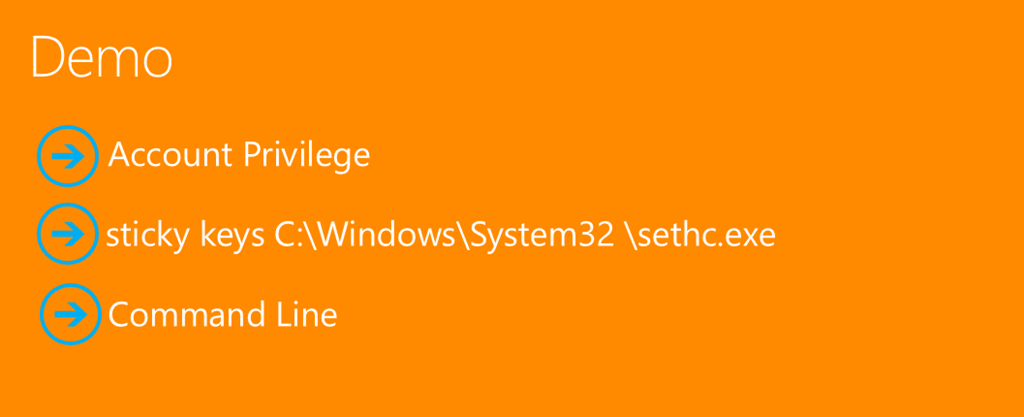
    6. เข้าไปที่ Path \Windows\System32\sethc.exe

    7. ทำการ Copy cmd.exe เข้าไปแทน sethc.exe

    8. Reboot เข้าสู่ computer อีกครั้ง

    9. หลังจาก reboot เข้าสู่ computer ให้กด shift 5 ครั้ง จะมีหน้าจอโผล่ command line ขึ้นมา

    10. หากไม่สะดวกในการใช้ command line สามารถเรียกใช้ compmgmt.msc ได้

    11. ใช้คำสั่ง Activate Local Administrator ดังนี้ net user Administrator /Active:YES

    12. ตั้งรหัสผ่านให้กับ Administrator ใหม่

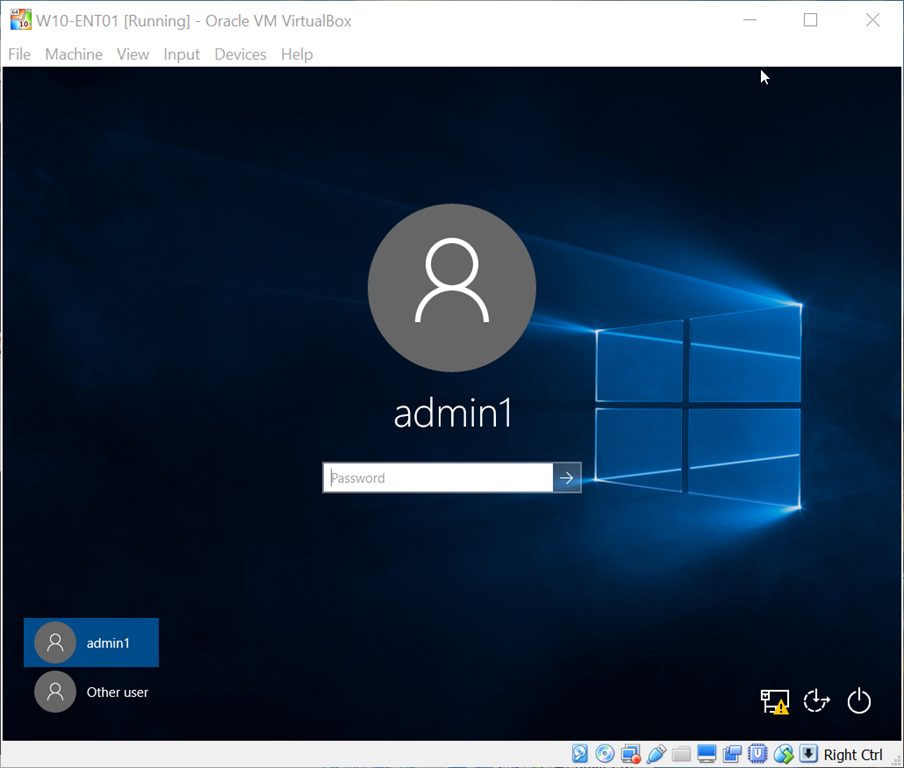
    13. หรืออาจไม่ต้องไป reset password local administrator ให้ทำการสร้าง user ใหม่ขึ้นมาแทน ด้วยคำสั่ง net user admin1 asdf1234! /add และ net localgroup administrators admin1 /add

    14. เพียงเท่านี้คุณก็สามารถเข้าใช้งาน loca administrator account บนเครื่องเป้าหมายได้แล้ว

    Share this:

    • Tweet

    Like this:

    Like Loading...

    Related

    • TAGS
    • Account Privilege
    • command line Hack
    • sticky keys C:\Windows\System32\sethc.exe
    Facebook
    LINE
    Twitter
    Google+
    Pinterest
    WhatsApp
    Linkedin
    Email
    Print
      Previous articleวิธี เปิด GOD MODE สำหรับ Windows 7, 8 and 10
      Next articleทำความรู้จัก Exchange 2016 Server : ภาค 1 – สถาปัตยกรรม และความสามารถใหม่
      Suttipan Passorn
      http://www.mvpskill.com
      สุทธิพันธ์ ภัสสร | Suttipan Passorn | รางวัล Most Valuable Professional สาขา Management Infrastructure 2009 - ปัจจุบัน | ความรู้.....จะมีประโยชน์ก็ต่อเมื่อถูกนำมาจดบันทึกและแบ่งปัน | ผมใช้เวลาว่างเขียน Blog KB และ E-Book Free Download ขอให้มีความสุขกับการเข้ามาเยี่ยมชม Blog นี้ครับ ;)

      RELATED ARTICLESMORE FROM AUTHOR

      EP9 Microsoft SharePoint: จุดชี้เป็นชี้ตายของ Copilot ในองค์กร: คู่มือ Admin ยุค AI

      EP8 เปรียบเทียบโมเดล License ของ Microsoft 365 Copilot: เลือกอย่างไรให้คุ้มและคุมงบอยู่: คู่มือ Admin ยุค AI

      EP7 Copilot และ Agents ช่วยขับเคลื่อน Productivity และ Automation อย่างไร (มุมมองสำหรับ IT Admin): คู่มือ Admin ยุค AI

      ค้นหาในเวป mvpskill

      New Articles

      EP9 Microsoft SharePoint: จุดชี้เป็นชี้ตายของ Copilot ในองค์กร: คู่มือ Admin ยุค AI

      Kumton Suttiraksiri - February 2, 2026
      0
      ถ้าจะพูดให้ตรงไปตรงมา Microsoft SharePoint คือ “แหล่งพลังงานหลัก” ของ Microsoft 365 Copilot เพราะเอกสาร ความรู้ นโยบาย และงานสำคัญขององค์กร ส่วนใหญ่อยู่ที่นี่ ดังนั้นการตัดสินใจเรื่อง Copilot license ไม่ได้กระทบแค่ค่าใช้จ่าย แต่กระทบโดยตรงกับ governance, security และ compliance Copilot ทำงานกับ SharePoint อย่างไร เมื่อ Copilot...

      EP8 เปรียบเทียบโมเดล License ของ Microsoft 365 Copilot: เลือกอย่างไรให้คุ้มและคุมงบอยู่: คู่มือ Admin ยุค...

      January 31, 2026

      EP7 Copilot และ Agents ช่วยขับเคลื่อน Productivity และ Automation อย่างไร (มุมมองสำหรับ IT...

      January 30, 2026

      EP6 เปรียบเทียบ Microsoft 365 Copilot และ Agents: ใช้อะไร เมื่อไร ให้เหมาะกับองค์กร: คู่มือ...

      January 29, 2026

      EP5 Agents ใน Copilot Chat และ SharePoint: เครื่องมือ AI ที่ผู้ใช้ธุรกิจสร้างเองได้จริง: คู่มือ...

      January 28, 2026

      Monthly Archives

      Tags

      ARM Azure azure update Charity Cloud Duangkaew Rujirawanich Exchange exchange hybrid Flows Free E-book Office 365 for Power User; Office365 Global Microsoft 365 Developer Bootcamp json M365 Update Microsoft 365 Microsoft 365 Copilot Admin Microsoft Teams mvpskill Mvpskill Saturday O365 Office365 Office 365 Office 365 Admin Office 365. O365 Tips Office 365;OneDrive for Business;SharePoint Online OneDrive for Business owa Power Apps PowerApps Power Apps; Power Platform; Power Automate Power Platform Powershell resource manager sharepoint Sharepoint 2013 SharePoint Online TeamsTricks;microsoft Teams TeamsTricks;Teams for Admin TeamsTricks;Teams for User Template VM Windows 10 Windows server 2016 ดวงแก้ว รุจิรวนิช บทความ Remote Desktop Services เรื่อง RemoteAPP

      EDITOR PICKS

      EP9 Microsoft SharePoint: จุดชี้เป็นชี้ตายของ Copilot ในองค์กร: คู่มือ Admin ยุค AI

      February 2, 2026

      EP8 เปรียบเทียบโมเดล License ของ Microsoft 365 Copilot: เลือกอย่างไรให้คุ้มและคุมงบอยู่: คู่มือ Admin ยุค...

      January 31, 2026

      EP7 Copilot และ Agents ช่วยขับเคลื่อน Productivity และ Automation อย่างไร (มุมมองสำหรับ IT...

      January 30, 2026

      POPULAR POSTS

      แจกไฟล์ MS Word สำหรับทำซองผ้าป่า และใบฏีกา

      March 25, 2018

      ปัญหา windows 10 update แล้ว Font ไทยพังพินาศ

      September 1, 2016

      รู้จักกับ Active Directory และการติดตั้ง Domain Controller บน Windows 2008R2

      October 1, 2012

      POPULAR CATEGORY

      • Featured Posts314
      • Microsoft 365282
      • Tips & Technics122
      • Azure81
      • MVPSkill Events74
      • SharePoint & OneDrive72
      • Microsoft Teams70
      • Windows Server58
      • Windows Client55
      ABOUT US
      mvpskill.com | IT Professionals Community กลุ่มคนที่มีความเชี่ยวชาญและหลงใหลใน Microsoft Infrastructure เรารวมตัวกันเพื่อแบ่งปันความรุ้ความชำนาญให้กับพี่น้องร่วมอาชีพ เนื้อหาทั้งหมดไม่ว่าจะเป็น Knowledge Base, VDO, Ebook ทุกอย่างจะฟรี และฟรีตลอดไปครับ เนื้อหาและกิจกรรมงานสัมมนาที่เกิดขึ้นในสังคมแห่งนี้เกิดจากอาสาสมัคร ที่ไม่แสวงหาผลกำไรใด ๆ ทั้งสิ้น เราทำด้วยแรงกาย แรงใจ และแรงเงิน ที่พอจะมีส่วนตัวหรือได้รับการสนับสนุนจากองค์กรที่เห็นประโยชน์ของกิจกรรม หากปณิธานไม่ร่วงโรยไปตามกาลเวลา เราอยากจะไปให้ถึงการเป็นองค์การไม่แสวงหาผลกำไร (nonprofit organisation :NPO) ขอให้มีความสุขกับการแบ่งปันครับ
      FOLLOW US
      • Home
      • Featured Posts
        • AllProduct Update

          EP9 Microsoft SharePoint: จุดชี้เป็นชี้ตายของ Copilot ในองค์กร: คู่มือ Admin ยุค AI

          EP8 เปรียบเทียบโมเดล License ของ Microsoft 365 Copilot: เลือกอย่างไรให้คุ้มและคุมงบอยู่: คู่มือ Admin ยุค…

          EP7 Copilot และ Agents ช่วยขับเคลื่อน Productivity และ Automation อย่างไร (มุมมองสำหรับ IT…

          EP6 เปรียบเทียบ Microsoft 365 Copilot และ Agents: ใช้อะไร เมื่อไร ให้เหมาะกับองค์กร: คู่มือ…

      • MVPSkill Events
        • รวมรวม Deck และชมย้อนหลังงาน Global Azure Bootcamp 2023

          MVPSkill Charity Meetup 2021 – Meeting 08 Azure Security & compliance

          MVPSkill Charity Meetup 2021 – Meeting 07 Azure Backup / Azure…

          MVPSkill Charity Meetup 2021 – Meeting 06 Azure App Services (PaaS)

          MVPSkill Charity Meetup 2021 – Meeting 05 Azure Virtual Machine (IaaS)

      • MVPSkill Saturday
      • Azure
        • รวมรวม Deck และชมย้อนหลังงาน Global Azure Bootcamp 2023

          Evaluate Azure Stack HCI #2/10 “Deploy the Azure VM”

          Evaluate Azure Stack HCI #1/10 “Introduction”

          MVPSkill Charity Meetup 2021 – Meeting 08 Azure Security & compliance

          MVPSkill Charity Meetup 2021 – Meeting 07 Azure Backup / Azure…

      • Microsoft 365
        • All5 นาทีกับ MVP 365Exchange&OutlookMicrosoft 365 AdminMicrosoft 365 ComplianceMicrosoft 365 CopilotMicrosoft 365 Copilot AdminMicrosoft 365 LifeMicrosoft 365 SecurityMicrosoft OfficeMicrosoft TeamsSharePoint & OneDriveSkype for BusinessYammer

          EP9 Microsoft SharePoint: จุดชี้เป็นชี้ตายของ Copilot ในองค์กร: คู่มือ Admin ยุค AI

          EP8 เปรียบเทียบโมเดล License ของ Microsoft 365 Copilot: เลือกอย่างไรให้คุ้มและคุมงบอยู่: คู่มือ Admin ยุค…

          EP7 Copilot และ Agents ช่วยขับเคลื่อน Productivity และ Automation อย่างไร (มุมมองสำหรับ IT…

          EP6 เปรียบเทียบ Microsoft 365 Copilot และ Agents: ใช้อะไร เมื่อไร ให้เหมาะกับองค์กร: คู่มือ…

      • Windows Client
        • AllWindows Security

          [Tips] แก้ปัญหา Font ตัวเล็กใน Edge แบบถาวร

          Windows 10 Privacy settings

          Windows 10 มี Mode แสงสว่างหน้าจอสำหรับทำงานกลางคืน “Night Light”

          Windows 10 Timeline ความส่วนตัวที่น่ากลัว

      • Windows Server
        • AllActive Directory & Group PolicyWindows Server 2012

          MVPSkill Charity Meetup 2021 – Microsoft Azure

          How to use Best Practices Analyzer in Windows Server 2012 R2

          การกำหนด Quotas โดยใช้ File Server Resource Manager (FSRM)

          รวมคำสั่งใช้ในการจัดการ Windows Server management – Keyboard Shortcuts and Commands

      • System Center
        • EMS ตอนที่ 1 ภาพรวมของ Enterprise Mobility Suite

          MDT 2013 Update 1 ออกแล้ว

          Upgrade SC 2012 SP1 Operations Manager to SC 2012 R2

          SC 2012 R2 : Operations Manager AD Monitoring Review#1

          SC2012 R2 : Operations Manager สีเทาแห่งการนิ่งเฉย

      • Tips & Technics
        • รู้จักและใช้งาน Power Apps Collection จัดการง่ายดุจพลิกฝ่ามือ

          New Power Apps Barcode Reader Control

          ซ่อน SharePoint List จาก User มือซน

          วิธีเอาชนะข้อจํากัด 500 รายการใน Power Apps

          สร้าง QR Code Reader ด้วย Power Apps

      • Tools
        • การใช้งาน Collection ใน Power Apps

          PowerApps EP.2

          SharePoint Online Management Shell

          จัดการ SharePoint Online ให้อยู่หมัดด้วย Management Shell #5

          SharePoint Online Management Shell

          จัดการ SharePoint Online ให้อยู่หมัดด้วย Management Shell #1

          Visual Studio Code Power Shell Extension

          PowerShell w/ Visual Studio Code

      • PowerShell
        • SharePoint Online Management Shell

          จัดการ SharePoint Online ให้อยู่หมัดด้วย Management Shell #6

          SharePoint Online Management Shell

          จัดการ SharePoint Online ให้อยู่หมัดด้วย Management Shell #5

          SharePoint Online Management Shell

          จัดการ SharePoint Online ให้อยู่หมัดด้วย Management Shell #4

          SharePoint Online Management Shell

          จัดการ SharePoint Online ให้อยู่หมัดด้วย Management Shell #3

          SharePoint Online Management Shell

          จัดการ SharePoint Online ให้อยู่หมัดด้วย Management Shell #2

      • นอกเรื่อง IT Pro
        • AllCertification & ExamDownload E-BookFree TrainingMVP LifeVDO Learning

          [Review] การสอบ Microsoft Certification จากที่บ้าน

          video

          มาแล้วดูย้อนหลัง MVPSkill Saturday : EP_24 15 February 2563- Microsoft 365 Products Update + DEMO 

          video

          มาแล้วดูย้อนหลัง MVPSkill Saturday : EP_23 8 February 2563- Microsoft Azure Products Update + DEMO 

          [สรุปงาน] งานสัมนา Power Platform ว่าด้วยการนำ Power BI / Power Apps /…

      • About Us
      © ข้อมูลภายในเว็บ mvpskill.com เป็นลิขสิทธิืของผู้เขียนบทความนั้นๆ
      %d