





















Note: Link ที่เกี่ยวข้อง
- Benchmark from Center for Internet Security (CIS) https://benchmarks.cisecurity.org/downloads/multiform/
- Checklist from SysAdmin, Audit, Network, and Security (SANS) Institute https://www.sans.org/score/checklists
- Checklist from National Institute of Standards and Technology (NIST) https://nvd.nist.gov/ncp/repository
Commercial Tools ที่รองรับการใช้งานอีกหลากหลาย สามารถศึกษาเพิ่มเติมได้จากแหล่งข้อมูลเช่น
https://www.sans.org/media/critical-security-controls/SANS_CSC_Poster.pdf
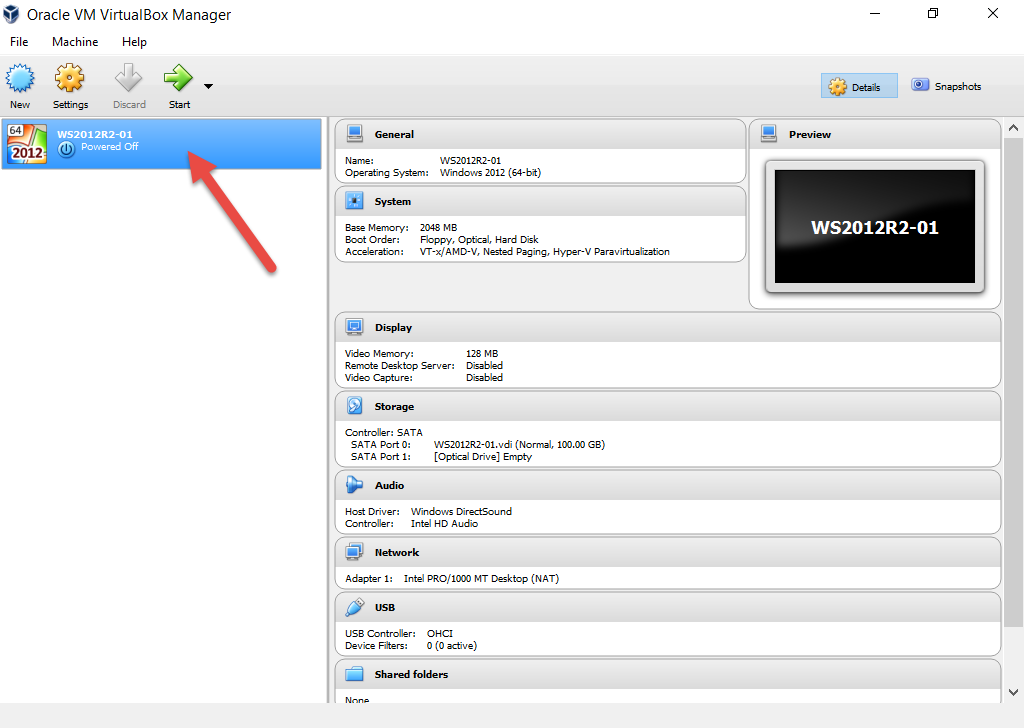
ทำการ Add Virtual Machine ให้เรียบร้อย
Step
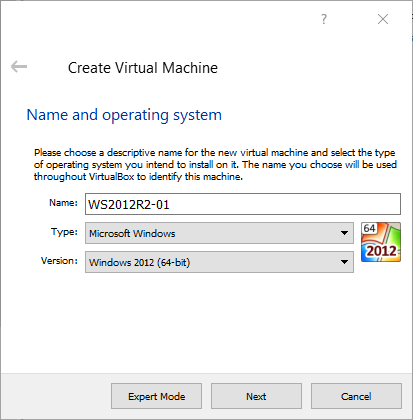
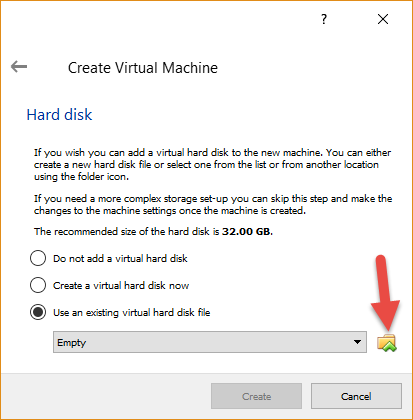
เปิดโปรแกรม Oracle VM VirtualBox เลือก New
- WS2012R2-01
- WS2016
- W10



ดำเนินการเรียบร้อย