








วิธีตั้งค่า Auto login Windows 8.1 ให้ไม่ต้องถาม Password เข้า Windows
การตั้งค่าให้ Windows 8 และ Windows 8.1 Auto Login โดยไม่รอถาม Password
หมายเหตุ วิธีนี้ไม่ค่อยปลอดภัยนะครับ ไม่ควรใช้ตั้งค่ากับเครื่องส่วนตัวที่มีข้อมูลสำคัญครับ
วีธีทำ
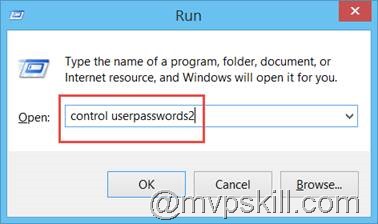
เข้าสู่ RUN Mode ด้วยปุ่ม Windows + R
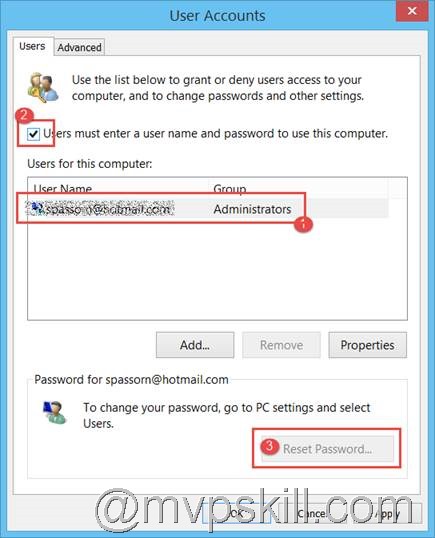
พิมพ์คำสั่ง control userpasswords2 กด ENTER
1. เลือก User (ถ้ามีมากกว่า 1 User ให้ได้สิทธิ Auto Login
2. Uncheck ในส่วนของ User Must Enter a username and password to use this computer
3. เลือก Reset Password